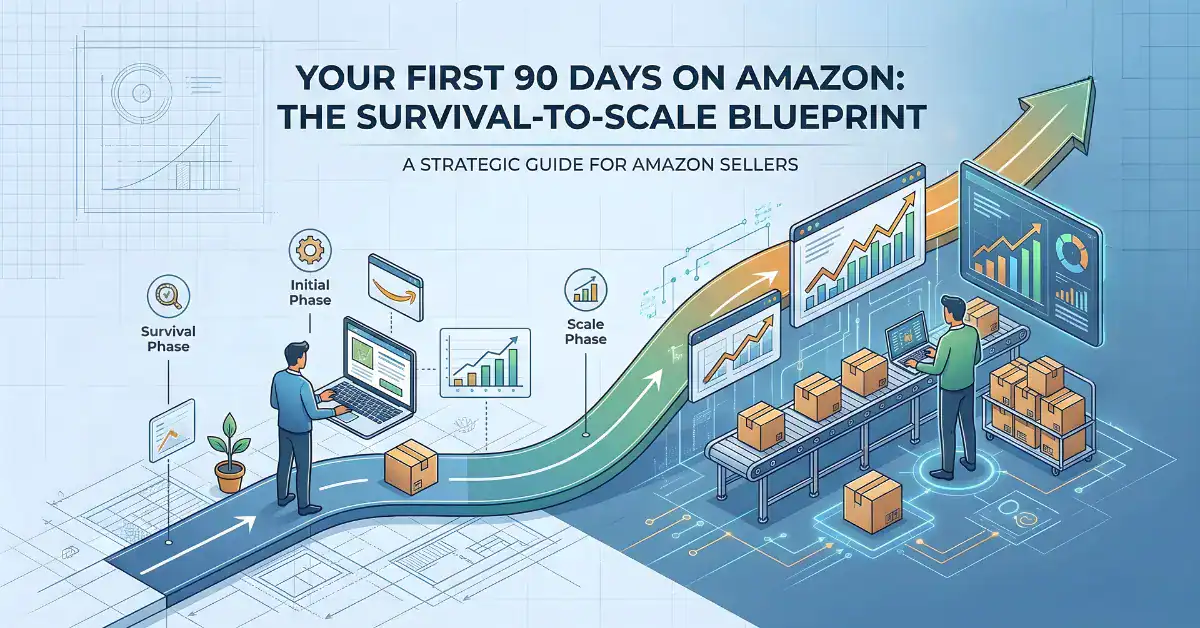

Most sellers lose money in their first 90 days on Amazon. Not because the product is bad. Because there is no plan. They launch, turn on ads, watch money disappear, and then start Googling “why is my ACoS so high.” Sound familiar?
This guide is the plan you should have had before you started. It breaks your first 90 days into three phases. Each phase has one job. Do the job before you move on.
I have watched sellers skip Phase 1, jump straight to scaling, and burn through $10,000 in ad spend with nothing to show for it. Do not be that seller.
Table of Contents
What Is a 30-60-90 Day Amazon Selling Plan?
It is a phased approach to launching and growing a product on Amazon or any online marketplace. Instead of doing everything at once, you focus on one priority per phase:
- Days 1 to 30: Audit. Find out where you are losing money and fix it.
- Days 31 to 60: Optimize. Improve your listings and ads. Prove the numbers work.
- Days 61 to 90: Scale. Put more money behind what is already profitable.
The framework applies to Amazon, Walmart Marketplace, and any platform where you run paid ads against product listings.
Phase 1: Audit and Align (Days 1 to 30)
You are not growing in this phase. You are stopping the bleeding.
Most new sellers have at least two or three obvious money leaks they do not even know about. A keyword that eats $50 a day with zero sales. A listing image that confuses buyers. A price point that kills margin after fees.
Your only job in month one is to find those leaks and close them.
Calculate Your Real Unit Economics
This is where most sellers get lazy, and it costs them everything.
Open a spreadsheet. For every SKU, calculate:
- Landed cost: Product cost + shipping to the warehouse + duties if any
- Marketplace fees: Referral fee + FBA fee (or fulfillment cost if you ship yourself)
- Your actual margin: Selling price minus landed cost minus fees
- Break-even ACoS: Your margin divided by your selling price. This is the ACoS where you stop making money.
- Break-even TACoS: Same idea, but against total revenue including organic sales.
Here is a quick example. You sell a product for $29.99. Your landed cost is $6. Amazon fees are $12.50. Your margin is $11.49. Your break-even ACoS is 38.3%.
If your ACoS is above 38.3%, you are losing money on every ad-driven sale. If you did not know that number before reading this, that is exactly why Phase 1 matters.
Audit Every Listing for Buyer Intent Match
Pull up your listing and look at it like a buyer, not a seller. Better yet, ask someone who has never seen your product to look at it.
Check these five things in order:
- Main image. Does it clearly show what the product is? Can you tell the size? Does it look better than the top 3 competitors on page one?
- Title. Does it include your most important search term in the first 80 characters? Is it readable or is it keyword-stuffed garbage?
- Bullet points. Do they answer the questions a buyer has before clicking “Add to Cart”? Things like: Will this fit? Is it safe for kids? What is it made of? How is it different?
- A+ Content. Does it handle the top objections from your one-star and two-star reviews? If you do not have A+ Content yet, this is the time to build it.
- Reviews. Read your last 20 reviews. What are people complaining about? Whatever it is, your listing copy needs to address it before the buyer even thinks about it.
If your listing does not pass this five-point check, do not spend another dollar on ads until it does.
Tear Apart Your PPC Campaign Structure
Open your ad console. Look at every campaign. Ask yourself:
- Do I have a clear separation between research campaigns (auto and broad) and performance campaigns (exact match)?
- Is there a system for moving winning search terms from auto campaigns into manual exact campaigns?
- Am I negating search terms that waste money?
- Are any campaigns spending more than $20 a day with an ACoS above my break-even and no sign of improvement?
If you cannot explain your campaign structure in two sentences, it is too messy. Simplify it now.
A basic structure that works for most sellers:
- 1 auto campaign per product (for keyword discovery)
- 1 broad match campaign (for testing promising terms)
- 1 exact match campaign (for your proven winners)
- 1 product targeting campaign (for competitor and complementary ASINs)
That is four campaigns. Not fourteen. Keep it simple until you have enough data to justify more complexity.
Check for Suppression Risks and Account Health
Go to your Account Health dashboard. Look for:
- Policy violations or warnings
- Listing quality alerts
- Intellectual property complaints
- Authenticity or condition complaints
Then check your reviews for patterns. If five buyers in a row say “smaller than expected,” that is a suppression risk waiting to happen. Fix the listing. Update the images. Add dimensions in the bullet points.
One suppression can kill a launch. Check this weekly, not monthly.
Decide What to Test First
You have a limited budget and limited time. You cannot test everything at once. Pick one variable for month one:
- If your click-through rate is low (below 0.3%), test your main image and title first.
- If your conversion rate is low (below 10%), test your bullet points, A+ Content, and pricing.
- If your ACoS is too high but conversion is okay, test your targeting and bid strategy.
Write down what you are testing, what you expect to happen, and how you will measure it. If you are not tracking it, it is not a test. It is a guess.
Phase 2: Optimize and Prove (Days 31 to 60)
Month one gave you clarity. Month two is where you prove your changes work.
The biggest mistake sellers make here is scaling too early. They see ACoS drop for three days and immediately double their budget. Then ACoS spikes again and they panic.
Do not scale yet. Prove first.
Fix Conversion Rate Before Increasing Ad Spend
This one rule will save you more money than any other advice in this guide.
If your listing converts at 8%, and you spend $100 a day on ads, you get roughly 8 sales from every 100 clicks. If you improve conversion to 12%, you get 12 sales from the same 100 clicks. Same ad spend. 50% more sales.
That is why conversion comes before budget increases. Always.
Things that move conversion rate:
- Better lifestyle images. Show the product in use. Show scale. Show the result the buyer wants.
- Price anchoring. If you sell a 3-pack, show the per-unit price. If your product replaces something expensive, call it out.
- Objection handling in bullets. Read your competitor’s one-star reviews. Address those complaints in your own listing.
- Trust signals. Warranty info, safety certifications, “Tested by” claims, money-back guarantees. Anything that reduces the buyer’s risk.
- A+ Content comparison charts. These are underrated. A simple comparison table between your product and alternatives can push a hesitant buyer over the line.
Track your unit session percentage weekly. If it is going up, your changes are working.
Run a Clean Search Term Audit
Download your search term report for the last 30 days. Sort by spend, highest first.
Look for three things:
Money wasters: Search terms with more than $20 in spend and zero sales. Add these as negative exact keywords immediately.
Hidden winners: Search terms with 3 or more orders and a good ACoS that are still sitting in auto or broad campaigns. Move these into exact match and give them their own bid.
Irrelevant traffic: Search terms that have nothing to do with your product. If you sell yoga mats and you are showing up for “yoga pants,” that is wasted spend. Negate it.
Do this every single week. It takes 20 minutes. It will save you hundreds of dollars a month.
Lock Down Budgets and Bid Placements
Amazon will happily spend your money in the least efficient placements if you let it.
Take control:
- Set daily budgets per campaign, not portfolio-level budgets that let one campaign eat everything.
- Review placement performance. If Top of Search converts at 15% but Rest of Search converts at 3%, adjust your placement modifiers.
- Check if your budgets are running out before the end of the day. If they are, either raise the budget or lower bids. Running out of budget at 2 PM means you are missing evening shoppers.
Do Not Run Out of Stock on Winners
I cannot stress this enough. If a product is selling well and ranking up, a stockout will set you back weeks.
Here is a simple rule: take your average daily units sold, multiply by your lead time in days, and add a 20% buffer. That is your reorder point.
If your supplier takes 30 days to deliver, and you sell 10 units a day, you need to reorder when you hit 360 units (10 x 30 x 1.2). Set a reminder. Do not eyeball it.
Focus on Five Metrics Only
Dashboards are full of numbers. Most of them do not matter right now. Track these five:
| Metric | Why It Matters | What “Good” Looks Like |
|---|---|---|
| ACoS | Ad efficiency per campaign | Below your break-even ACoS |
| TACoS | Total business dependency on ads | Trending down over time |
| Conversion Rate | Listing quality indicator | 10% to 25% depending on category |
| Organic Rank | Long-term growth signal | Improving week over week for top 5 keywords |
| Unit Velocity | Sales momentum | Stable or increasing |
If all five are moving in the right direction, you are ready for Phase 3.
Phase 3: Scale and Systemize (Days 61 to 90)
You have proven the numbers work. Now grow, but do it in a controlled way.
Increase Budgets Slowly
Raise budgets by 15% to 20% every 5 to 7 days. After each increase, wait and watch TACoS for a full week.
- TACoS stays flat or drops: Good. Keep going.
- TACoS rises 1 to 2 points: Watch it for another week. Could be normal fluctuation.
- TACoS rises 3+ points: Pull back. Something is off. Check if new keywords are underperforming or if a competitor dropped their price.
The goal is not to spend more money. The goal is to make more profit. Those are not the same thing.
Double Down on What Already Works
Look at your last 30 days of data and find your top performers:
- Top 5 keywords by profit. Can you increase bids on these without pushing ACoS above break-even?
- Top converting ASINs for product targeting. Are there similar ASINs you have not targeted yet?
- Best performing ad type. If Sponsored Brand Video is crushing it but you only have one video, make two more.
Expansion follows proof. Never the other way around.
Build a Repeatable Weekly Routine
Here is the exact cadence that works for most sellers:
Every Monday (20 minutes):
- Pull search term report. Negate waste. Harvest winners.
- Check budget pacing. Adjust if needed.
- Look at inventory levels. Reorder if approaching reorder point.
Every Friday (10 minutes):
- Check conversion rate trend. Up or down?
- Review any new 1-star or 2-star reviews. Do they point to a listing issue?
First of every month (60 minutes):
- Full listing review. Is your main image still competitive? Are there new keywords to add?
- Campaign performance review. Kill anything that has not worked in 30 days.
- Competitor check. Has anyone new entered the market? Have prices shifted?
Put this in your calendar. The sellers who do this consistently outperform the ones who spend 10 hours once a quarter and then ignore their account.
Get Serious About Reviews
By day 60, you should have enough sales to start building review volume. Focus on:
- Product inserts. A simple card that says “We would love your honest feedback” works. Do not ask for 5 stars. That violates TOS.
- Follow-up emails. Use Amazon’s “Request a Review” button. Do it for every order.
- Fix the root cause of bad reviews. If people keep saying the packaging is flimsy, fix the packaging. No amount of listing optimization can overcome a real product problem.
Reviews compound. A product with 50 reviews and a 4.3 rating converts very differently than one with 12 reviews and a 4.0.
Plan the Next 90 Days Before This One Ends
Sit down in week 10 or 11 and answer these questions:
- What is your target BSR (Best Sellers Rank) for each product?
- How much can you afford to spend on ads next quarter?
- Do you have enough inventory to support 20% to 30% growth?
- What is the biggest risk to your business right now? Price competition? Stockouts? A listing getting flagged?
- Are you ready to launch a second product?
Write the answers down. That is your next 90-day plan.
The 7 Mistakes That Kill Most Amazon Launches
After working with hundreds of seller accounts, these are the patterns that show up again and again:
- Scaling ads on a listing that does not convert. You are just paying for traffic that bounces.
- Not knowing break-even ACoS. If you do not know this number, you are guessing with your money.
- Testing too many things at once. Change one thing. Measure it. Then change the next thing.
- Running out of stock during a rank-up. This one is painful because you cannot undo it quickly.
- Ignoring search term reports. That is the single most valuable data source in your entire ad account.
- Setting and forgetting campaigns. PPC is not a slow cooker. You cannot set it and walk away.
- Chasing revenue instead of profit. $100K in revenue with $2K in profit is not a business. It is an expensive hobby.
Frequently Asked Questions
How much should I spend on Amazon PPC in my first 90 days?
Start with a daily budget you can afford to lose while you learn. For most sellers launching a single product, $30 to $50 per day is a reasonable starting point. The exact number depends on your product price, margin, and category competition. Focus on learning which keywords convert, not on hitting a spend target.
Does this 30-60-90 plan work on Walmart Marketplace or other platforms?
Yes. The core process of auditing your economics, optimizing listings, cleaning up ad spend, and scaling profitably applies to any marketplace with advertising. The specific tools and dashboards differ, but the strategy is the same.
What is a good ACoS for Amazon PPC?
There is no single “good” ACoS. It depends entirely on your margins. A product with 50% margin can handle a 40% ACoS and still be profitable. A product with 20% margin cannot. Calculate your break-even ACoS first, then aim to stay below it on your performance campaigns while allowing higher ACoS on your discovery campaigns.
What is the difference between ACoS and TACoS?
ACoS measures ad spend against ad-driven revenue only. TACoS measures ad spend against your total revenue, including organic sales. TACoS is the more important number long term because it tells you how dependent your business is on paid ads. A healthy business has a TACoS that trends down over time as organic sales grow.
When is the right time to scale Amazon ad spend?
When three things are true at the same time: your conversion rate is stable (not jumping around week to week), your ACoS on exact match campaigns is below break-even, and your inventory can handle increased sales for at least 30 days. For most sellers, this happens around day 45 to 60 if they follow a structured plan.
How many reviews do I need to compete on Amazon?
There is no magic number, but products with fewer than 15 reviews have a much harder time converting. Your first milestone should be 15 reviews. Your second milestone is 50. After 100 reviews, the impact of each additional review on conversion starts to flatten out. Focus on getting to 50 as fast as you can within Amazon’s TOS.
What should I do if my product is not selling after 30 days?
Go back to basics. Check three things: Is anyone finding your listing? (Look at sessions.) If they find it, are they clicking? (Look at click-through rate.) If they click, are they buying? (Look at conversion rate.) The answer tells you where the problem is. Low sessions means a keyword or indexing problem. Low clicks means a main image or price problem. Low conversion means a listing content or reviews problem.
The Short Version
Days 1 to 30: Stop guessing. Know your numbers. Fix your listings. Clean up your campaigns. Do not spend a dollar more on ads until you know your break-even ACoS.
Days 31 to 60: Prove it works. Fix conversion first. Clean your search terms every week. Track the five metrics that matter. Do not scale yet.
Days 61 to 90: Now scale. Raise budgets slowly. Expand what is already profitable. Build a weekly routine. Plan the next 90 days before this one ends.
That is the entire system. It is not complicated. It just takes discipline.